
The GWSMART07 Diagnostic Tablet offers full system diagnostics, bi-directional programming, topology mapping, 38 professional vehicle reset/relearn functions, and more. The 7" wireless tablet connects to more than 180 vehicle manufacturers to get you back on the road fast.
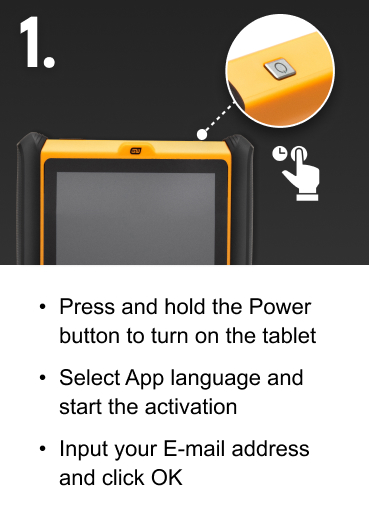
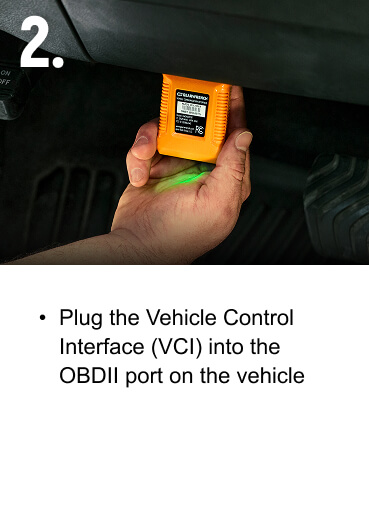
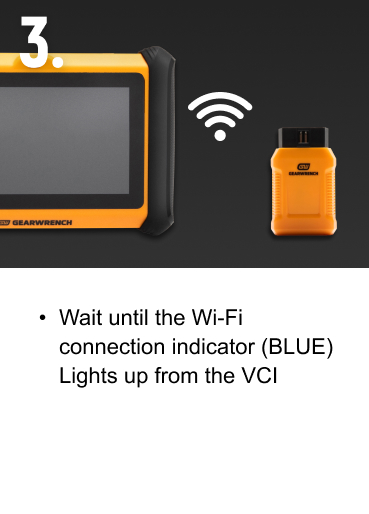
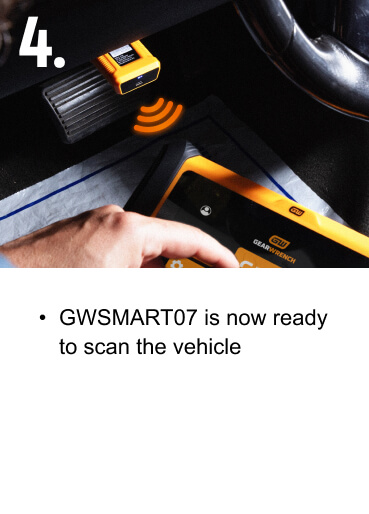
SPECIFICATIONS
| Connectivity Method | Bluetooth, USB Type C, Wi-Fi | Rechargeable | Yes | |||
| Reads ABS Codes | Yes | Vehicle Compatibility | 185+ Brands | |||
| Clears Codes | Yes | Battery Type | 7.3V 2500mAH Li-Ion | |||
| AutoAuth Ready | Yes | Display | LCD Touchscreen with Backlight | |||
| Input Voltage | 9~32 VDC | Memory | 2G+64G | |||
| Upgradeable | Yes | Operating System | Android 10.0 | |||
| Type | Diagnostic Tablet, Diagnostics | Communication Protocol | CAN FD, DoIP | |||
| Software Updates | 3 Years Free | Included Storage | Blow Mold Case | |||
| Warranty | 2 Years |
Software updates are free for the first 3 years of ownership. After the 3rd year, it is $150 per year.
No, GWSMART07 uses a wireless VCI that communicates wirelessly. No cords are needed.
Yes, it comes with a blow-mold case to protect the tablet.
VEHICLE COVERAGE GUIDE
Use our Vehicle Coverage Guide to quickly check compatibility across makes, models, and systems. Whether you're a professional technician or a DIYer, this tool helps you make confident, informed decisions before you scan.

MANUALS & GUIDES
Access videos, manuals, and setup guides to get the most from your GWSMART07 Bi-Directional Diagnostic Tablet. Explore key features, find support materials, and unlock the full potential of your GEARWRENCH diagnostic tool.
